

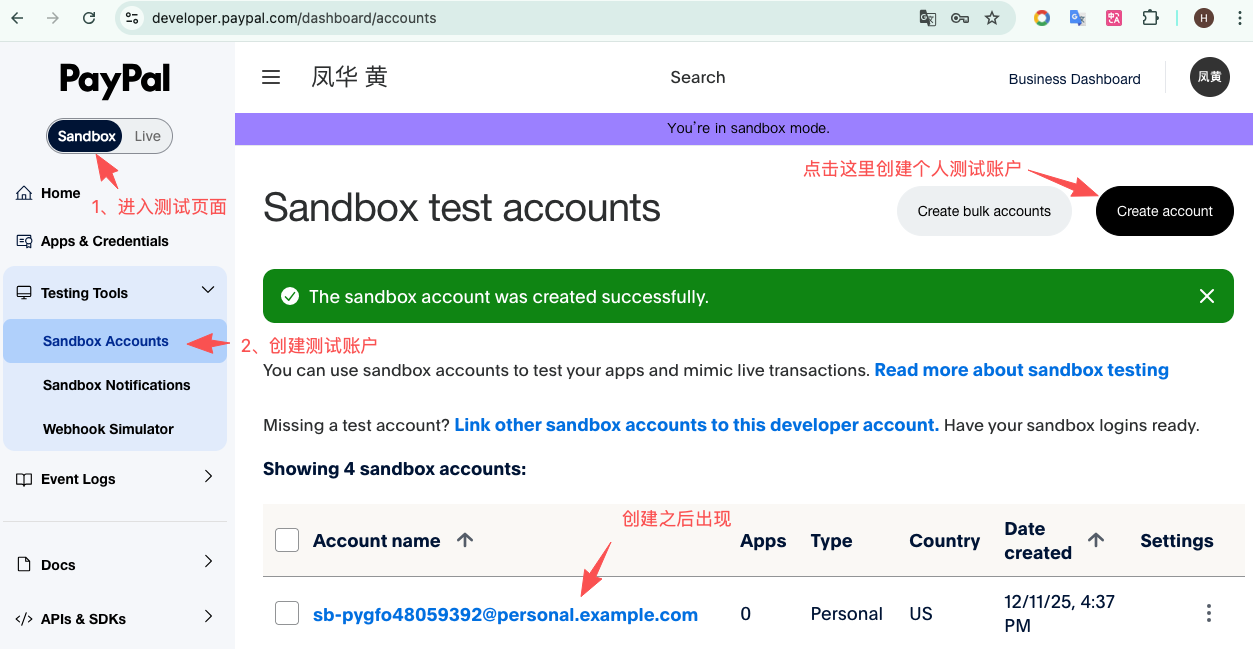
进入 Sandbox Accounts 页面
登录后左侧菜单:
Dashboard → Sandbox → Accounts
或直接访问(需要登录后才有效):
https://developer.paypal.com/dashboard/accounts
会看到两种账号:
Business(模拟商家)
Personal(模拟买家)
按如下图这样创建。
在 Sandbox Accounts 列表中:
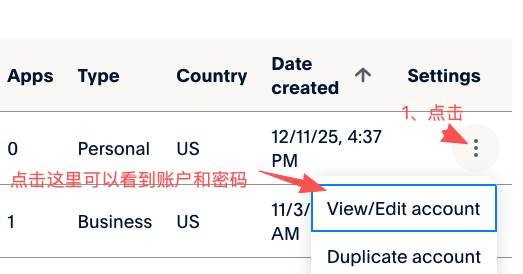
1)点击 Personal Account(买家账号)右边的 三点菜单
2)选择 View / Edit Account
即可看到:
Login Email
System Generated Password
Funding(可给它加余额)